Sticker + title
A promo badge and a title card
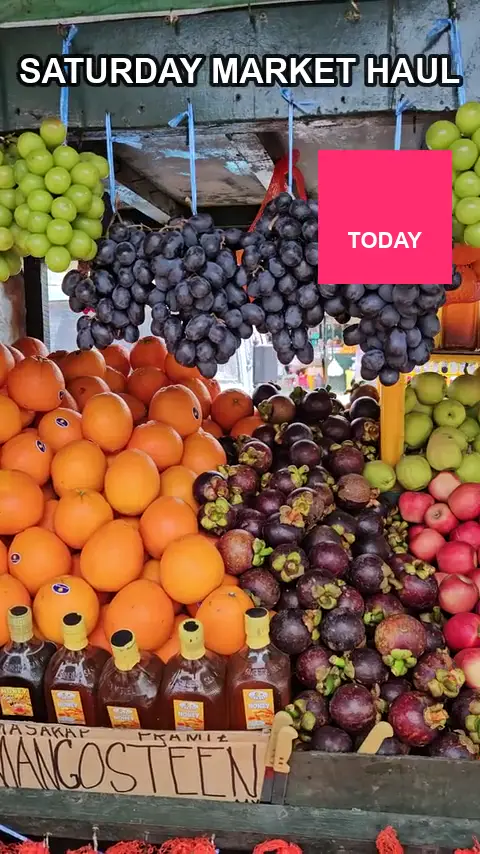
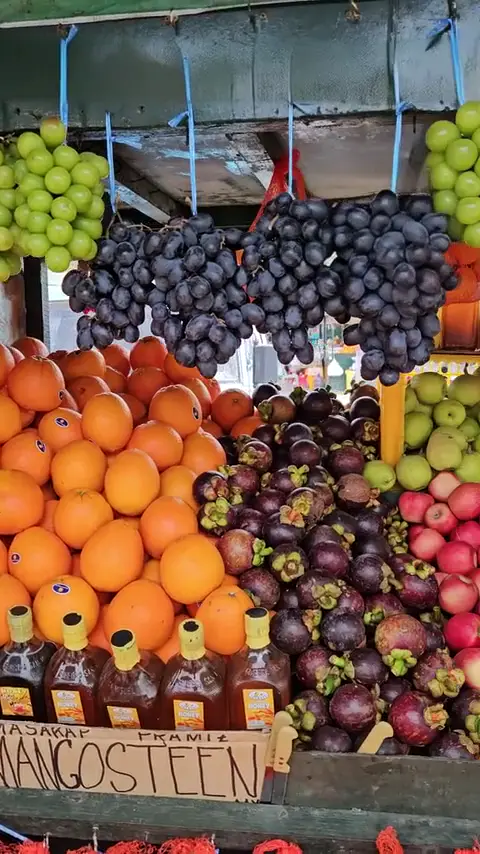
A solid badge and a title over a busy fruit stall, camera moving.
● Your logo · Old branding · Corner bugsFree preview — no sign-up
For your own footage.
You rebranded, or a client asked you to drop the corner bug. Box the old logo once and we rebuild the picture behind it on every frame.
Drop a video here
MP4 · MOV · WEBM — up to 10 min
Unretouched output from our pipeline — drag the pink playhead to compare. Footage: Tianwang Xiao / Pexels. Subtitles added by us, then removed by our pipeline.
This page is for your own branding: an old logo after a rebrand, a channel bug on archive footage, or a mark a client asked you to take off work you made for them. We only process footage you own or are licensed to edit. We do not help strip other creators’ watermarks, and we do not remove watermarks added by AI video platforms such as Sora or Veo.
A logo sits in the same place on every frame, which makes it one of the easier jobs. Draw an object box around it if it has a shape or a background plate, or a text box if it is just lettering. The area is rebuilt from the surrounding frames, and the rest of the picture is copied from your original.
Logos over moving footage come back cleanest when the box is tight. If the logo sits over faces, hair or fine moving detail, use HD (720p rebuild). Semi-transparent logos still need the whole mark inside the box, including any glow or shadow, or a faint outline can remain. Run the free one-frame preview on a busy part of the clip first.
Often, yes. If the old logo is a corner bug burned into the finished file, box it and render, then add the new logo in your editor or leave the corner clean. This helps when the original project files are lost and only an old export is left. If the logo is in many videos, preview one of them first to settle the box size before you process the rest.
Many videos show a logo only in the first or last few seconds, often animated or fading in. Set the box to start and end with the logo so the rest of the clip is not touched. A logo that grows or slides needs a box that covers its largest size. If the intro is a full-screen logo card with no footage behind it, there is nothing to rebuild, and trimming those seconds in your editor is the better fix.
Permission to edit the footage, which you usually have if you made the video for them. You may only remove your own logo or one you have the rights to. We do not remove other creators’ watermarks, or the marks AI video platforms add to show content is AI-generated. If you are not sure you hold the rights, get the client’s go-ahead in writing before you upload.
Use a text box when the logo is plain lettering with no shape around it, so only the letters and their outline are rebuilt. Use an object box for a symbol, a badge or lettering on a backing plate. Standard is fine for a logo over a plain corner of sky or wall. HD is worth the extra credits when the logo sits over moving water, foliage, faces or a crowd.
Related tools: Remove subtitles from video, Remove emoji from video, Remove objects from video. Hands-on notes in our guides.
Three clips we ran through the same pipeline you will use. Run your cursor across any of them — or press and hold on a phone — to bring back what was there.
Sticker + title
A solid badge and a title over a busy fruit stall, camera moving.
Text on a face
Hardest case: skin, lips and a talking jaw behind the letters.
Object
Real footage, handheld push-in, a person moving in front.
MP4 or MOV, up to 10 minutes. Nothing to install, no sign-up for the preview.
We box every line of text for you — tick the ones to remove. Or draw a box over an object.
We rebuild the pixels behind it on every frame and hand back your video at its original resolution, with its audio.
We cut your clip into six-second segments and clean them all at once. Neighbouring segments overlap by eight frames and are crossfaded, so nothing flickers at the seams. Then only the masked pixels are pasted back onto your original.
One credit cleans one second of video. HD costs three. Failed renders refund themselves. Credits last a year. New accounts get 20 free.
150 credits · 3 min standard
600 credits · 10 min standard
2,000 credits · 33 min standard
600 credits every month · cancel any time
Upload footage you own, draw a box around your logo (object box for a shape, text box for lettering), check the free one-frame preview, then render. The output keeps your resolution and audio.
No. Only footage you own or are licensed to edit. We do not help remove other creators’ watermarks, and we do not remove watermarks that AI platforms such as Sora or Veo put on their output.
Yes, if you made the video for them or have their permission to edit it. That is one of the main uses of this page: dropping a bug or old branding at the client’s request.
Not if the whole mark, including its glow or shadow, is inside the box. An object box rebuilds everything inside it, so a slightly larger box is safer than one that clips the edges.
No. The area is filled with background rebuilt from nearby frames, not left blank or blurred. Over a still corner it usually blends in. If you want the new logo in the same spot, add it in your editor afterwards.
The credits are refunded automatically. Check the preview, adjust the box so it is tighter or a little larger, and render again.
Make it never there.
Upload a videoMove your cursor over the wordDrag your finger across the word