Object
A wooden box in a moving shot
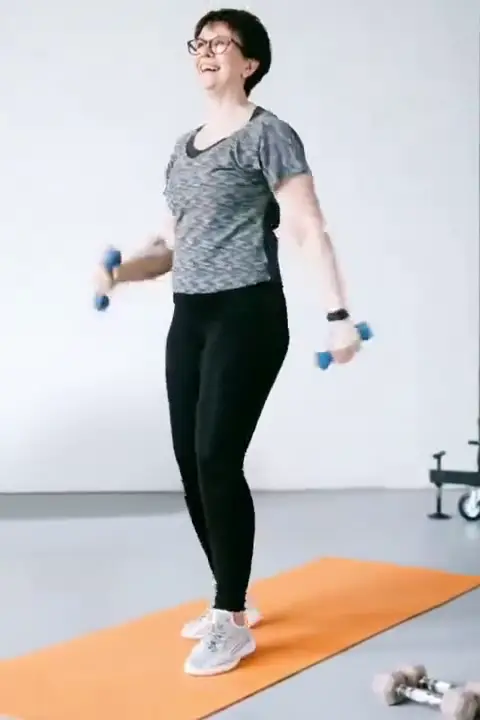
Real footage, handheld push-in, a person moving in front.
● Objects · Props · ClutterFree preview — no sign-up
Draw a box once.
A cable on the floor, a cup on the table, a sign in the corner. Box it once and we fill the area with background on every frame.
Drop a video here
MP4 · MOV · WEBM — up to 10 min
Unretouched output from our pipeline — drag the pink playhead to compare. Footage: Tianwang Xiao / Pexels. Subtitles added by us, then removed by our pipeline.
Draw an object box around the thing you want gone. Unlike a text box, an object box rebuilds everything inside it, so make it a little bigger than the object and include its shadow if there is one. The tool fills the area with background taken from the frames around it.
Static objects on a steady shot give the cleanest result, because the background behind them is visible in other frames or easy to continue. Your video is cut into roughly six-second segments rendered in parallel and crossfaded over 8 frames at the seams, so long clips come back without visible jumps.
Be realistic about moving objects. If something fast crosses the frame and the area behind it is never visible for long, the fill can leave a smear. HD (720p rebuild) helps with fine textures like grass, gravel or fabric. The free one-frame preview shows you the fill before you spend credits.
Things that sit still in a steady shot: a cup left on the desk, a cable across the floor, a light stand at the edge of the frame, a small sign on a wall. The background behind them is either visible in other frames or simple to continue, like floor, wall or table top. Objects that touch your subject, such as a mic clipped to a shirt, are harder, because part of the person has to be rebuilt too.
An object box rebuilds everything inside it, so cover the object, its shadow, any reflection on a shiny floor and a small margin. Clipping the edge leaves a thin outline. A box much larger than needed has a cost too, because more real picture is replaced with an estimate. For a long cable or a leaning mic stand, draw two or three smaller boxes along it instead of one wide rectangle.
Each box can have its own start and end time, and you can use up to 24 boxes per video. If a prop is taken off the table halfway through a scene, end the box when it leaves. If a stand only appears in the second shot, start the box there. Frames outside those times are left as you shot them.
Standard (480p rebuild, 1 credit per second) is fine for objects over plain walls, floors, sky or an out-of-focus background. Choose HD (720p rebuild, 3 credits per second) when the object sits over grass, gravel, carpet, brick or any fine texture the eye picks up. If only one shot is difficult, you can cut it out in your editor, render that part in HD and the rest in Standard.

Related tools: Remove people from video, Video eraser for text and objects, Remove your logo from video. Hands-on notes in our guides.
Three clips we ran through the same pipeline you will use. Run your cursor across any of them — or press and hold on a phone — to bring back what was there.
Object
Real footage, handheld push-in, a person moving in front.
Sticker + title
A solid badge and a title over a busy fruit stall, camera moving.
Text on a face
Hardest case: skin, lips and a talking jaw behind the letters.
MP4 or MOV, up to 10 minutes. Nothing to install, no sign-up for the preview.
We box every line of text for you — tick the ones to remove. Or draw a box over an object.
We rebuild the pixels behind it on every frame and hand back your video at its original resolution, with its audio.
We cut your clip into six-second segments and clean them all at once. Neighbouring segments overlap by eight frames and are crossfaded, so nothing flickers at the seams. Then only the masked pixels are pasted back onto your original.
One credit cleans one second of video. HD costs three. Failed renders refund themselves. Credits last a year. New accounts get 20 free.
150 credits · 3 min standard
600 credits · 10 min standard
2,000 credits · 33 min standard
600 credits every month · cancel any time
Upload the clip, draw an object box around the thing you want removed, and check the free one-frame preview. If the fill looks right, render in Standard or HD.
The preview is free and needs no account. Rendering costs credits: 1 per second in Standard, 3 per second in HD. New accounts get 20 free credits, enough to try a short clip.
It can handle slow movement, but a fast object that hides the background for a long time can leave a smear. Steady footage of a still object gives the cleanest result.
A text box rebuilds only the letters and their outline. An object box rebuilds everything inside the box. Use object boxes for props, clutter and anything that is not text.
Yes, with an object box over the area where it appears, timed to the frames it is in. A boom over a plain ceiling or sky is usually easy. One that crosses a face or hair needs HD and can still look soft.
The wall is rebuilt, not removed. An object box replaces everything inside it with a fill from the surrounding frames, so the wall continues where the sign was. Plain walls work well. Brick or tiles may need HD.
Make it never there.
Upload a videoMove your cursor over the wordDrag your finger across the word